Difference between revisions of "Modules/ayfx/ayfx player"
From MSX Game Library
< Modules
(Created page with "{{MODULE |name=ayfx/ayfx_player |category=AudioFormat |image=raw.githubusercontent.com/aoineko-fr/MSXgl/main/engine/doc/img/sample_ayfx.jpg |dependency1= |dependency2= |depend...") |
|||
| Line 1: | Line 1: | ||
{{MODULE | {{MODULE | ||
|name=ayfx/ayfx_player | |name=ayfx/ayfx_player | ||
| − | |category= | + | |category=Audio |
|image=raw.githubusercontent.com/aoineko-fr/MSXgl/main/engine/doc/img/sample_ayfx.jpg | |image=raw.githubusercontent.com/aoineko-fr/MSXgl/main/engine/doc/img/sample_ayfx.jpg | ||
|dependency1= | |dependency1= | ||
Latest revision as of 00:09, 16 January 2024
ayfx/ayfx_player
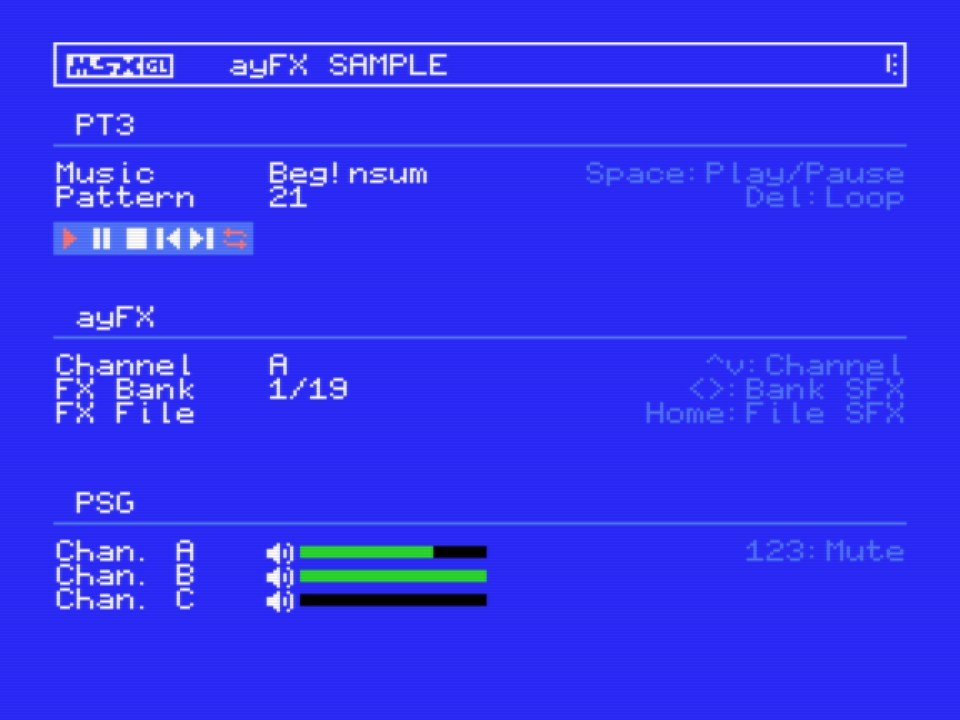
The ayfx/ayfx_player module lets you play sound effect in ayFX format.
note:
- You can use ayFX editor to create single sound effect data, or banks containing several sound effects.
- ayFX replayer can be used in combination with those modules:
Usage
To use this module, include "ayfx/ayfx_player.h" in your source code, and add "ayfx/ayfx_player" to the modules list (LibModules) in your project's configuration file (project_config.js).
Samples
See module use cases in the sample programs:
Settings
Library configuration (msxgl_config.h):
// ayFX options
// - AYFX_BUFFER_DEFAULT .......... Use PSG module's PSG registers buffer
// - AYFX_BUFFER_PSG2 ............. Use PSG module's 2nd PSG registers buffer (only if PSG_CHIP == PSG_BOTH)
// - AYFX_BUFFER_PT3 .............. Use PT3 module's PSG registers buffer
#define AYFX_BUFFER					AYFX_BUFFER_PT3
When using PT3 replayer, use AYFX_BUFFER_PT3 option. For other replayers (WYZ, VGM or lVGM), use AYFX_BUFFER_DEFAULT option.
Dependencies
Dependency on other modules: None
Documentation